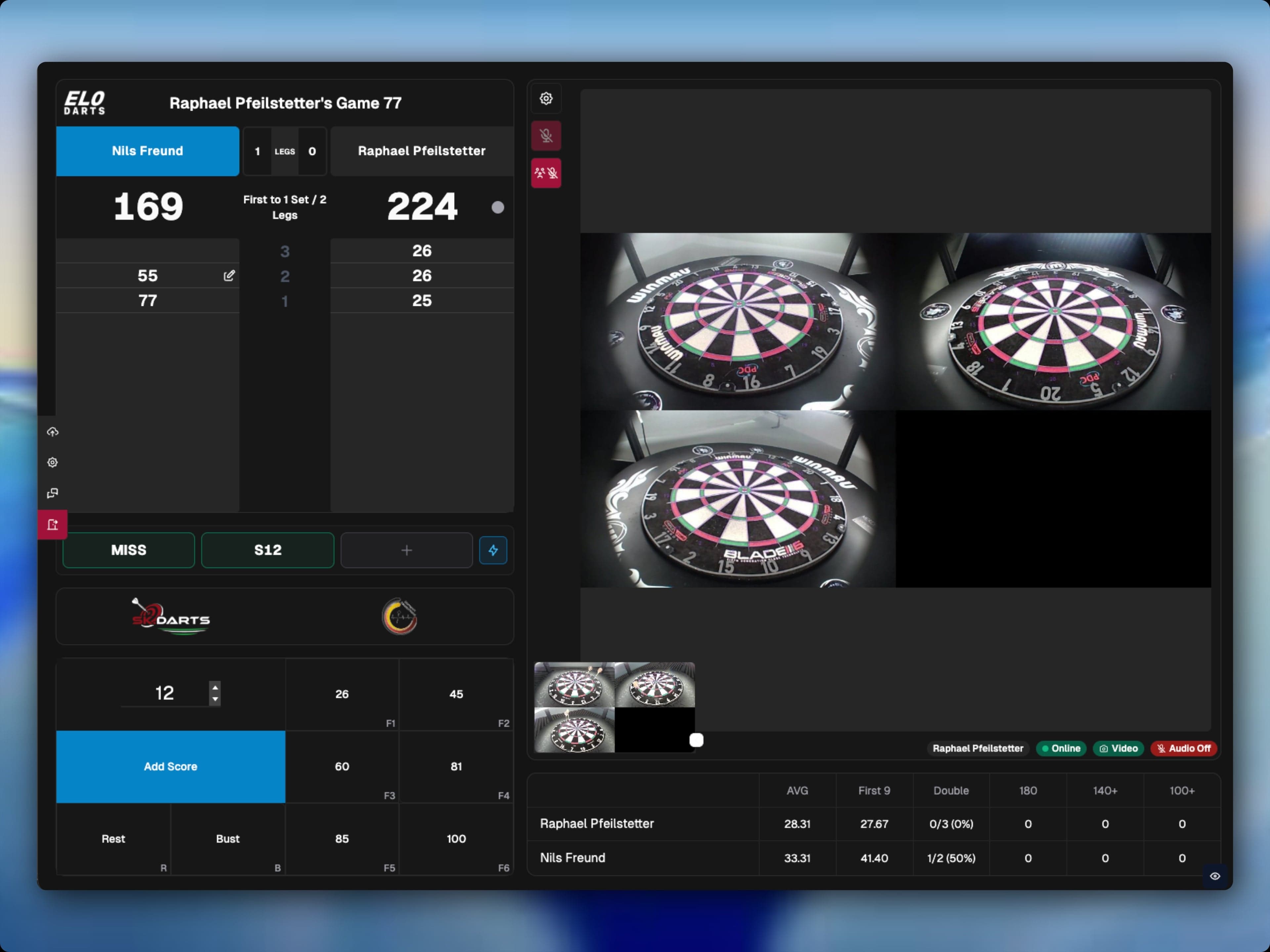
Our autoscoring system is now available for everyone! ELO Auto Scoring works with any 3-camera setup — no matter which camera arms you use. This guide walks you through the software setup so you can start playing right away.
What You Need
- 3 USB cameras, mounted around the dartboard
- A USB hub or suitable adapter
- A computer (Windows, macOS, or Linux)
Step 1: Connect the Cameras
Connect your 3 USB cameras to your computer via a USB hub. Make sure all cameras are detected by your system.
Step 2: Download and Install the App
Download the ELODarts desktop app for your operating system and install it.
Step 3: Run Calibration
Open the app and follow the calibration wizard. The app guides you through the entire process:
- Cameras are detected automatically
- Position the calibration markers
- The app calculates optimal detection settings
The video below shows you exactly how the calibration works and what to look out for.
Video Tutorial
Tips for Best Detection
- Lighting: Ensure even illumination of the dartboard. Avoid strong backlighting or shadows on the board.
- USB Hub: Use a powered USB hub for stable connections, especially if your computer has limited USB ports.
- Re-calibrate: If detection isn't optimal, run the calibration again — a second pass often helps.
Having Trouble?
If something isn't working, reach out to our support team — we're happy to help.